Industry
community, social enterprise
Project
iit-idc bombay - hci certificate
SabkiSabzi: A Web App for India’s Sabziwalas
Project Duration
June 2023 (10 day sprint)
Team
6 deisgners/researchers, 1 mentor
Scope
Design and UX for the microsite, checkout flow, and navigation
Role
UX research, UI improvements, rapid prototyping
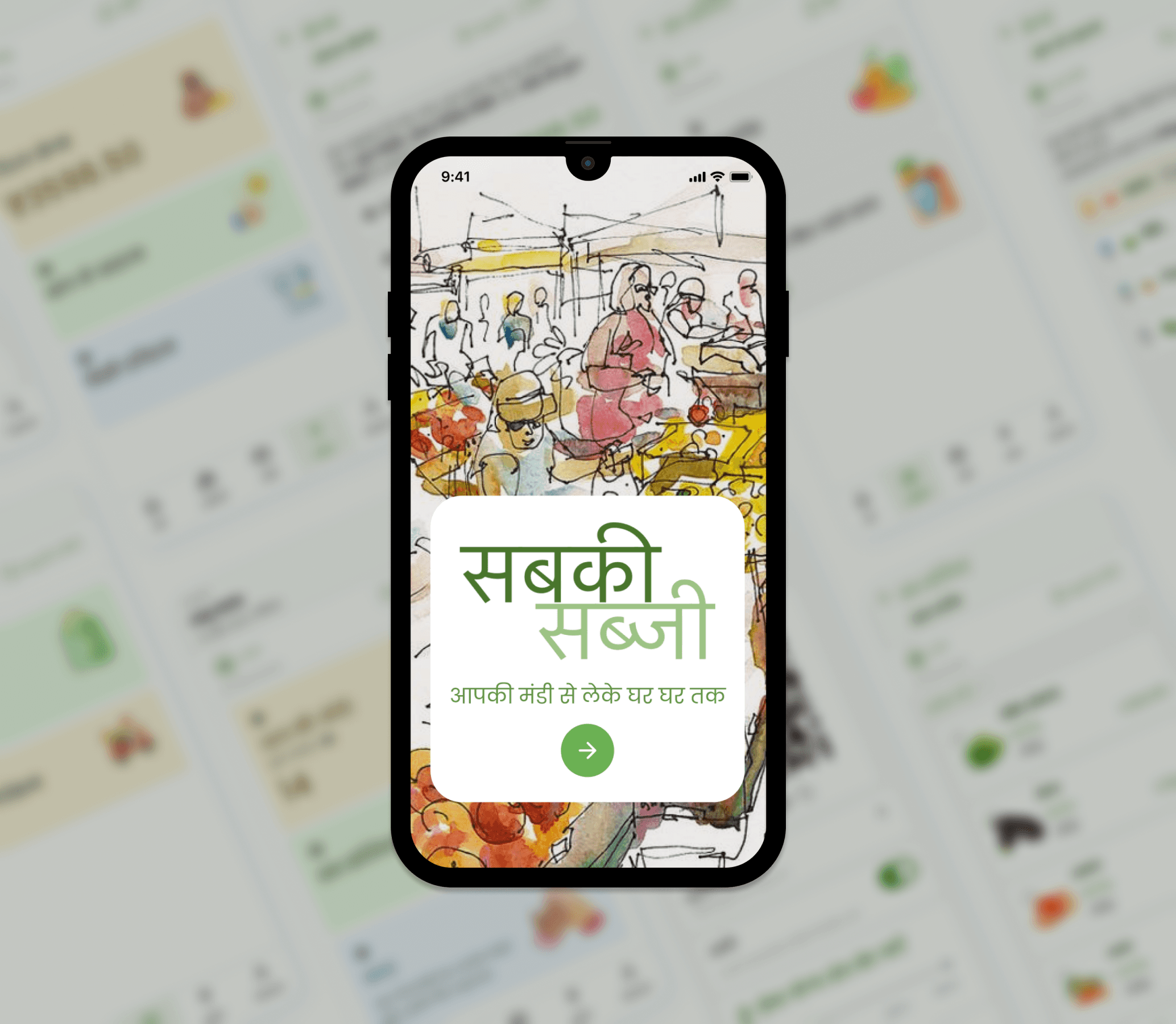
Design an app that enables local fruit and vegetable vendors in Indian cities to sell directly to customers using simple digital tools.
Post-lockdown, many customers continue to prefer home delivery, while local vendors struggle to compete with large delivery platforms. This project explores whether a fair, easy-to-use digital platform can help neighbourhood vendors manage customers, accept digital payments, and offer delivery, while keeping control of their business in their own hands.
overview
How might we enable local fruit and vegetable vendors in Indian cities to sell digitally while staying in control of their business?
Problem
Current app-based delivery platforms have been criticized for being monopolistic, exploitative, and less profitable for small workers and vendors. This raises important questions:
Can local vendors retain control over their business while still benefiting from digitalization?
Can customers discover nearby vendors, place orders, pay digitally, and receive home delivery without relying on large aggregators?
Can a fair, community-driven platform exist, possibly supported or facilitated by the government, similar to initiatives like BHIM or Aarogya Setu?
Objective
To design a simple, accessible tool that:
Helps local fruit and vegetable vendors manage customers, orders, and payments
Allows customers to discover trusted local vendors and shop conveniently
Enables digital transactions keeping ownership and control with local business
product vision
SabkiSabji is a platform for sabjiwale (vegetable/ fruit sellers) to build a simple digital presence and connect directly with their customers. It complements a well-established offline ecosystem by enabling digital adoption without disrupting existing practices. Unlike large delivery apps, it empowers sellers to adapt to changing market dynamics while building confidence and proficiency with digital tools.
15
Users interviewed; between ages 30-70
10
Stall owners
3
Haath-gaadi owners
2
Loyal customers
focus of inquiry
1
How do local vegetable sellers currently manage their daily work - inventory, pricing, orders, payments, and customer relationships?
2
What challenges prevent them from adopting existing digital platforms, (especially considering barriers of entry such as limited smartphone usage, long working hours, and entry-level devices)?
3
How has post-lockdown customer behaviour (online ordering, WhatsApp orders, home delivery) impacted sellers’ workflows, income stability, and decision-making?
4
What level of digital support actually helps sellers without increasing cognitive load or affecting offline selling?
5
How might a simple, seller-first digital tool enable local vendors to stay in control of their business while offering customers the convenience of discovery, ordering, and digital payments?
interpretation of interviews
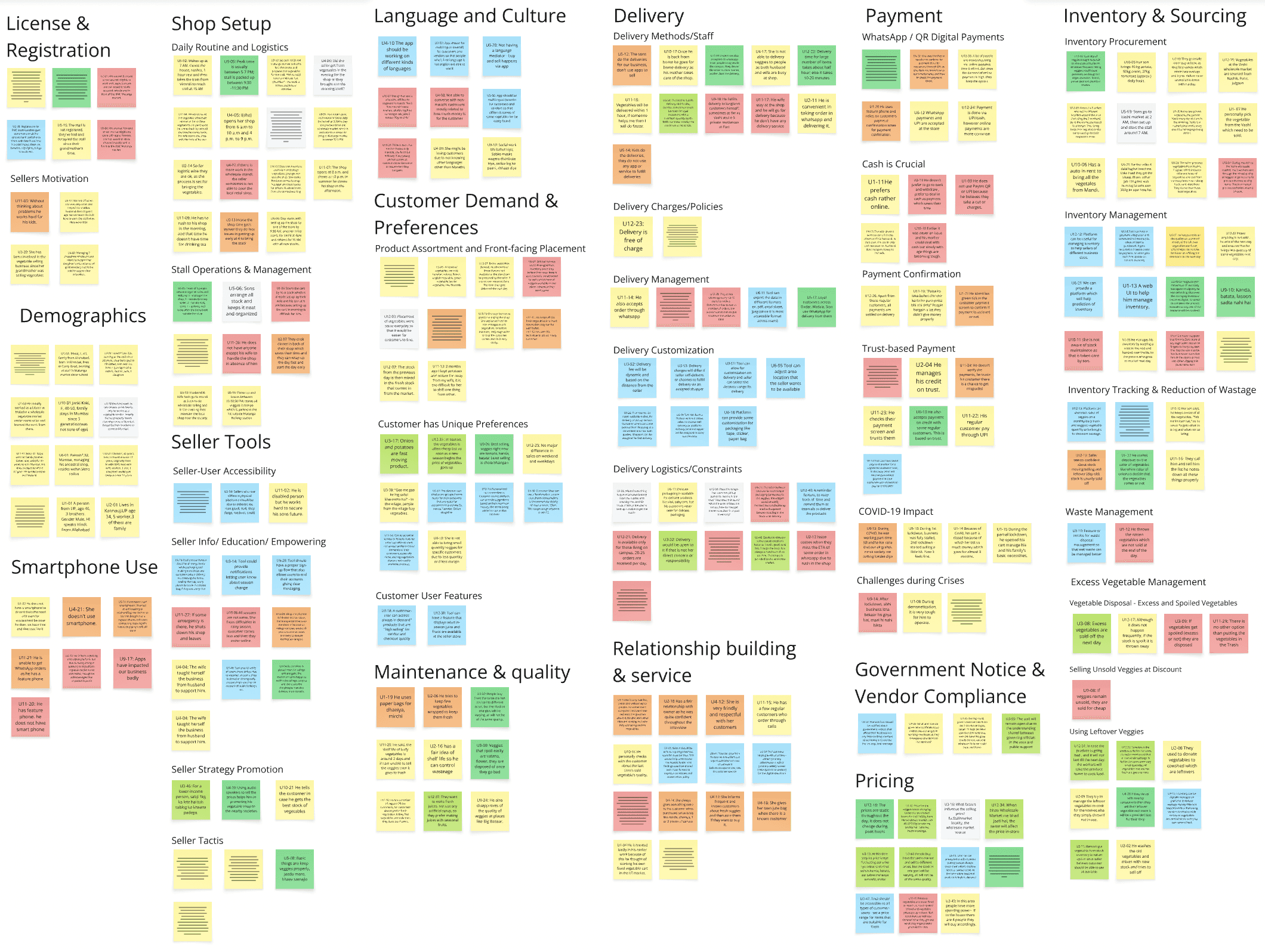
To gain insight from our findings, we documented all the notes from our interviews and categorized them (some samples below)
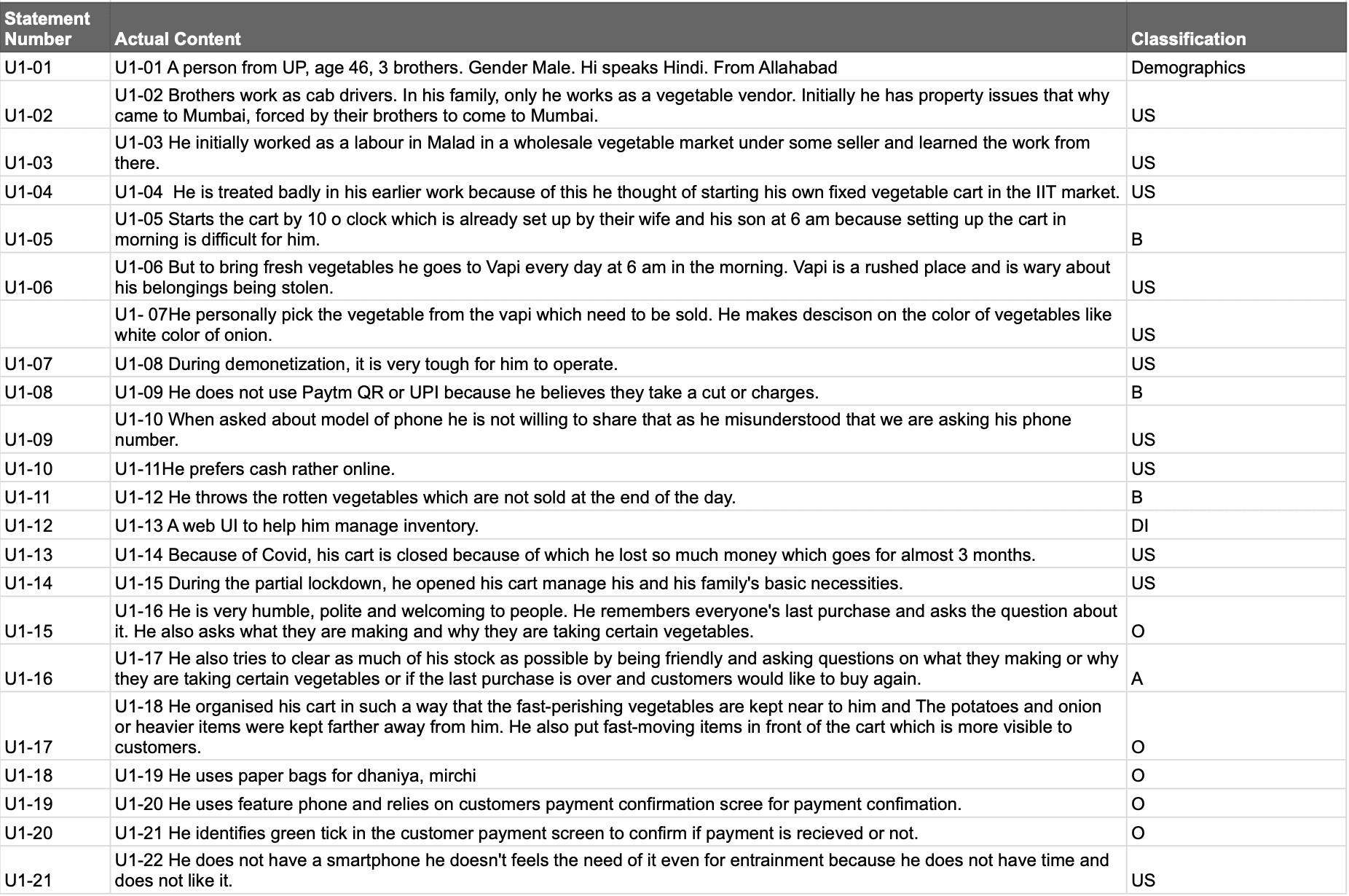
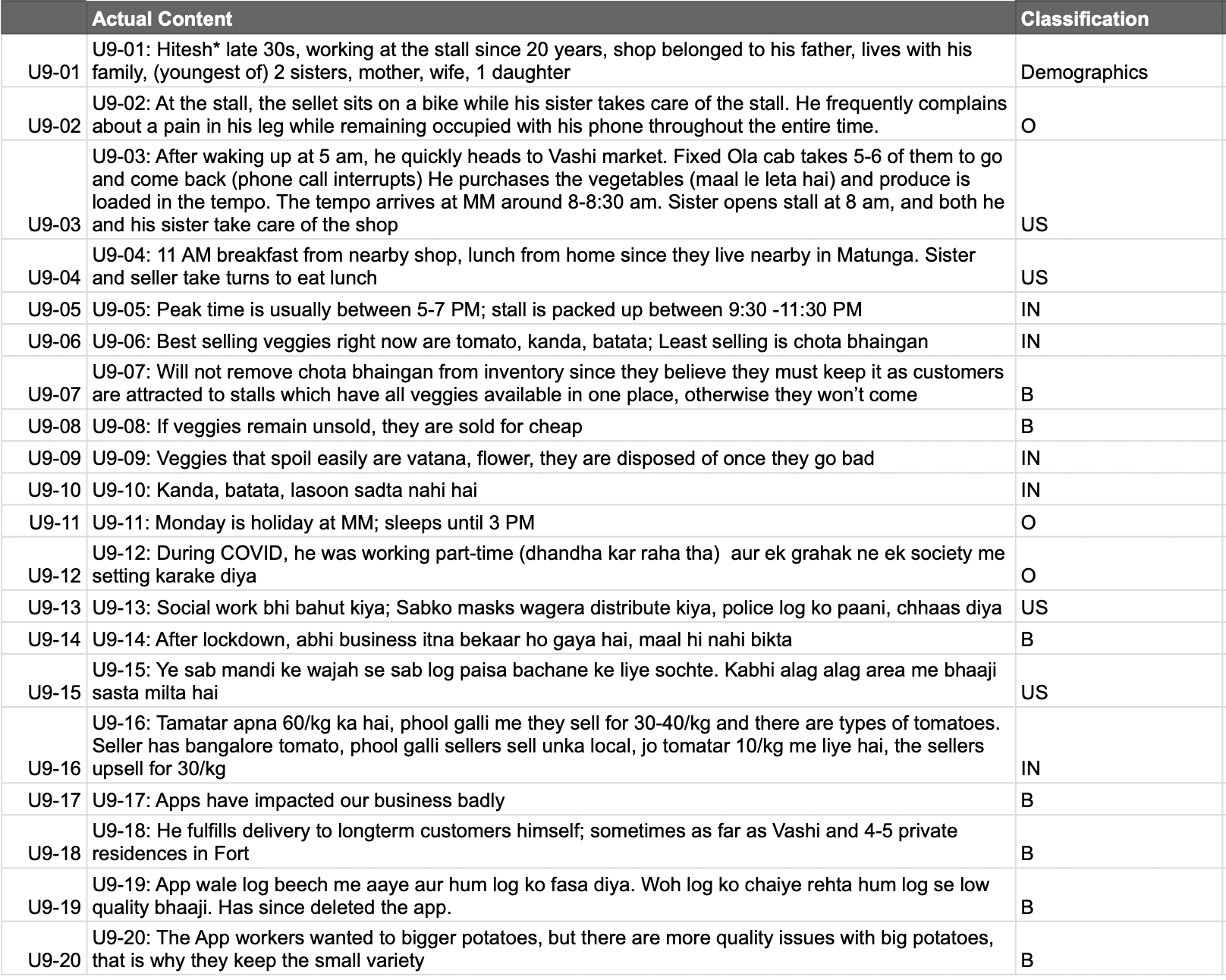
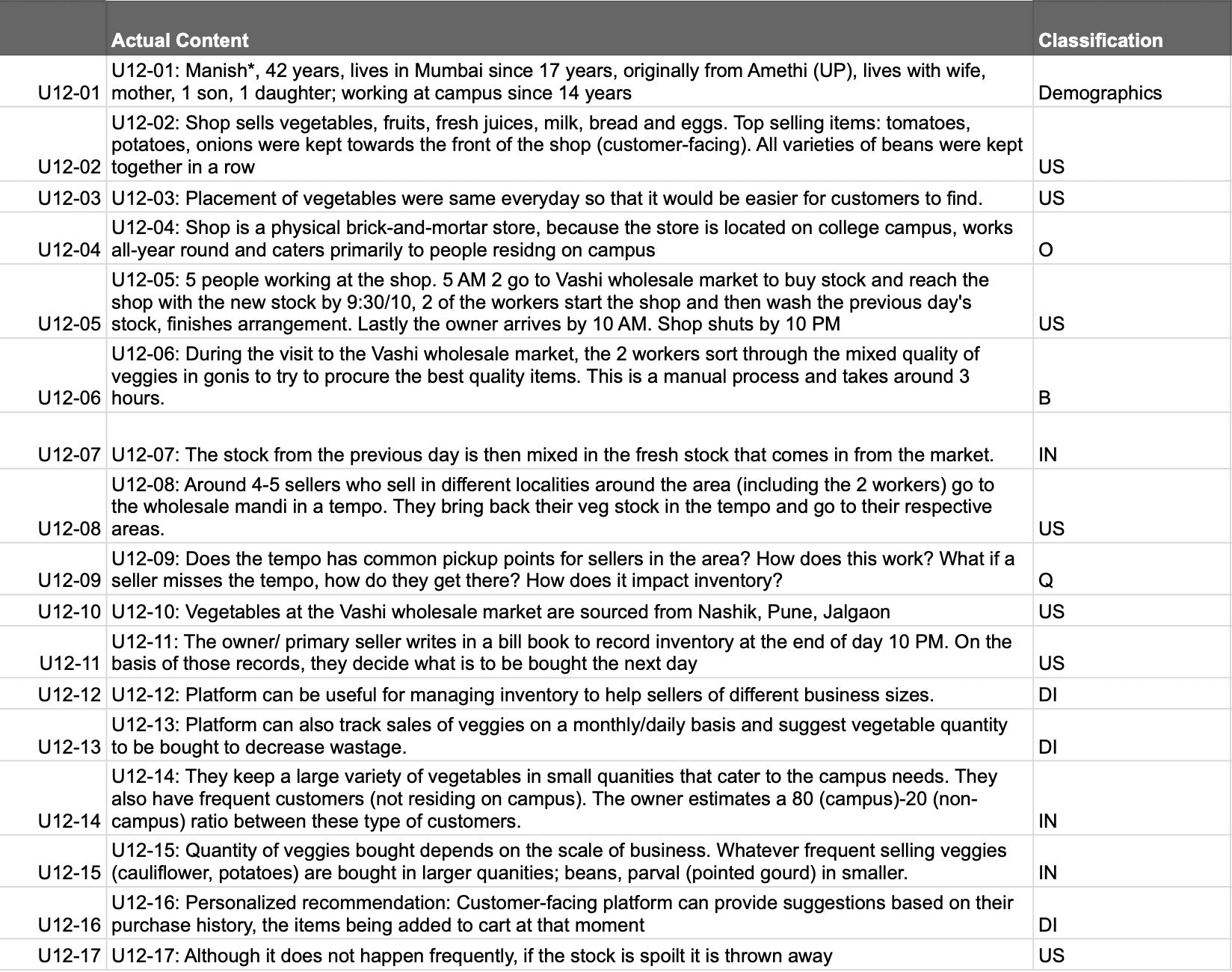
affinity mapping
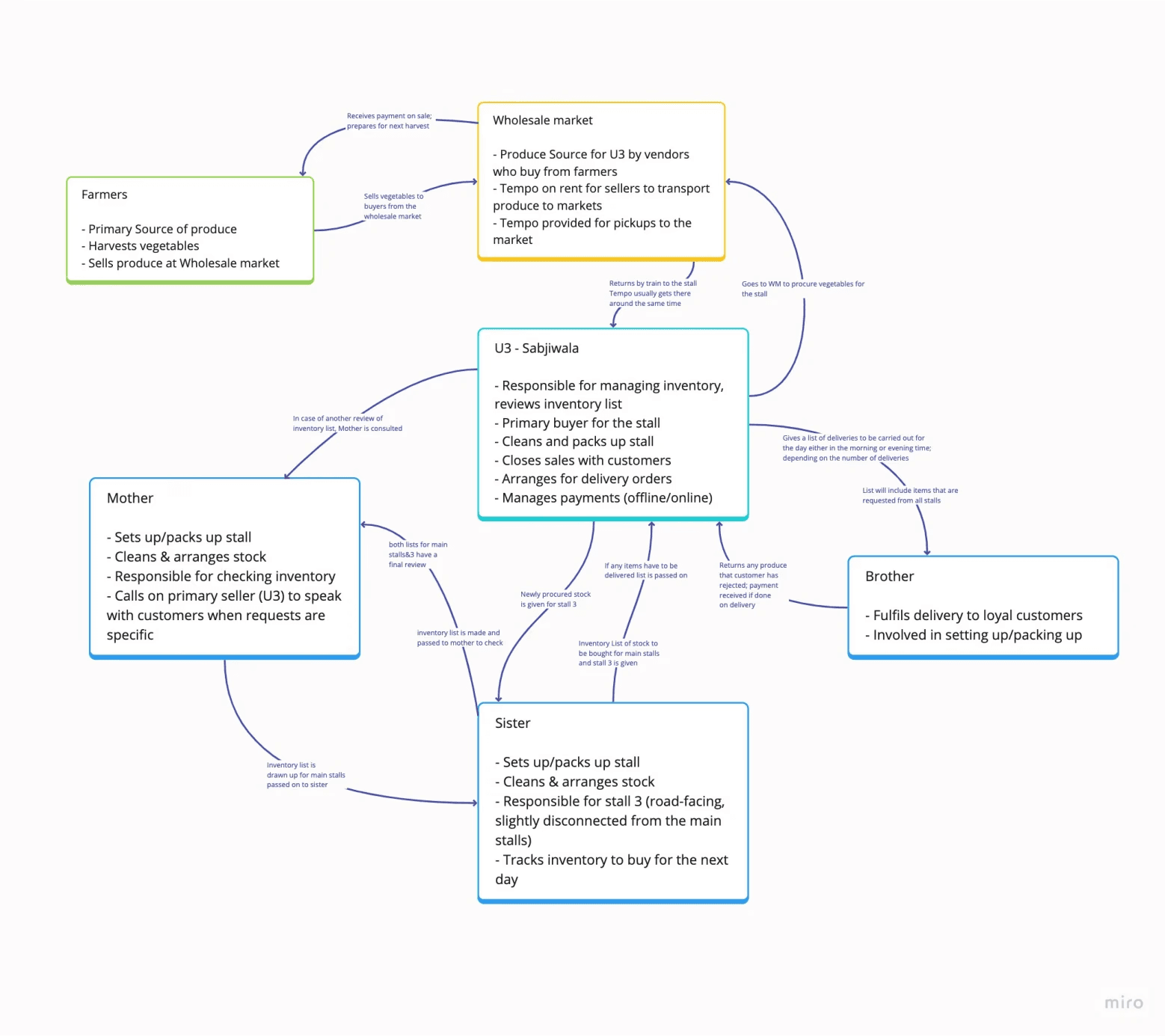
work flow model
design opportunities
Empowering sellers
Design a seller-first digital presence that helps local vegetable vendors connect with nearby customers while retaining full control
Designing for novice smartphone users
Create simple, task-based workflows that align with sellers’ real-world routines, reducing cognitive load and use on entry-level smartphones
Enabling gradual digital adoption
Design a platform that allows sellers to start small and progressively adopt digital tools - without disrupting livelihood or forcing complex systems
User Insights: Who We’re Designing For and Why
our users
Primary
Vegetable vendors who run stalls, haath-gaadis (hand-drawn carts)
Secondary
Customers who prioritize fresh, locally sourced, produce, parents
persona
janaki
Primary
56 • Curry Road • Married, 2 kids
Runs a physical stall/shop, sources stock daily from mandi, works 10–12 hours managing sales, packing, and payments
She struggles with wastage, changes in demand due to season/weather and informing customers about availability or delays
She wishes for a more convenient way to manage orders, sell max stock, communicate with customers, and accept digital payments without affecting daily work
Currently using entry-level smartphone; familiar with WhatsApp and UPI; she has tried delivery apps but they do not accommodate her business

user goals
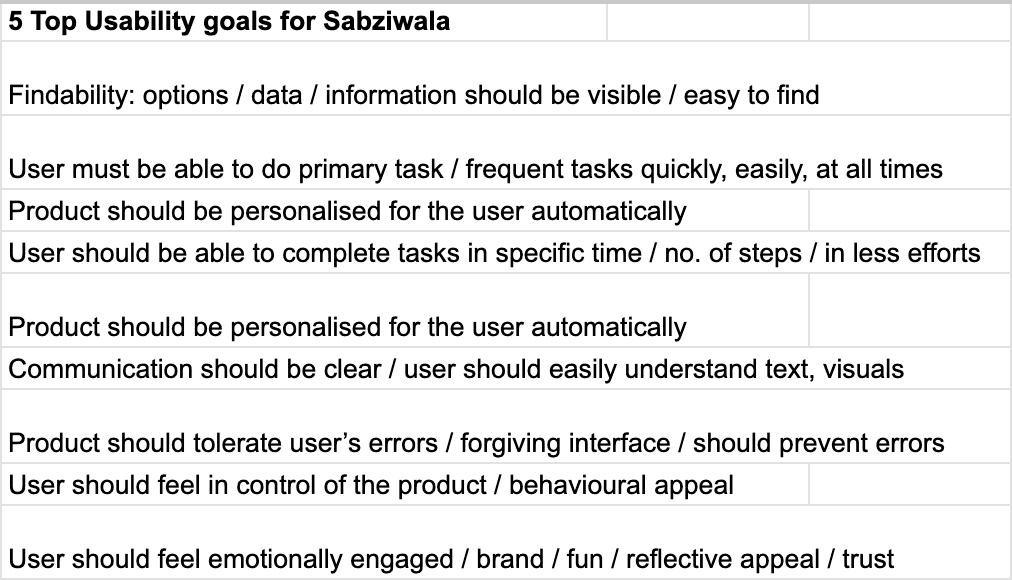
From the insights gathered from the interviews and after putting together our persona, we set usability goals for the app,
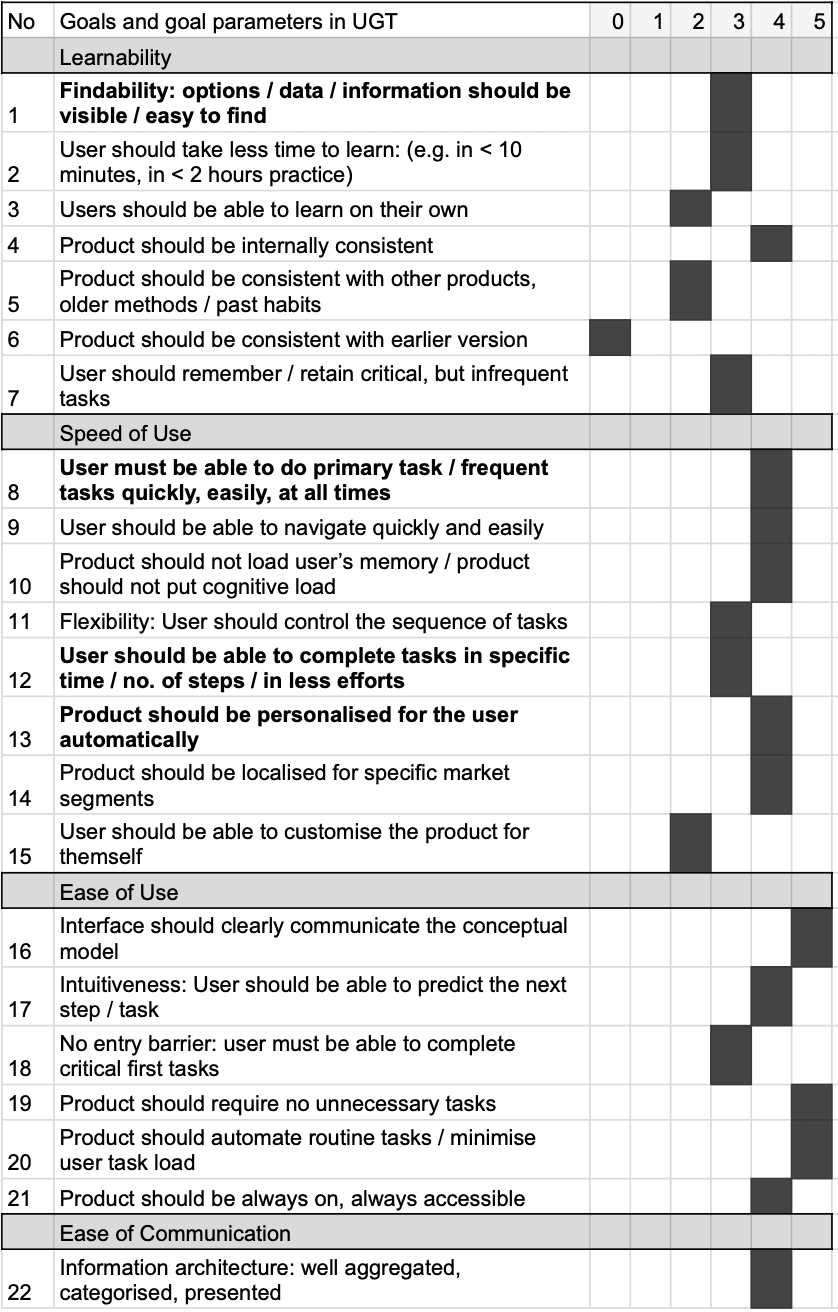
Usability Goal Setting Tool by Prof. Aniruddha Joshi
information architecture
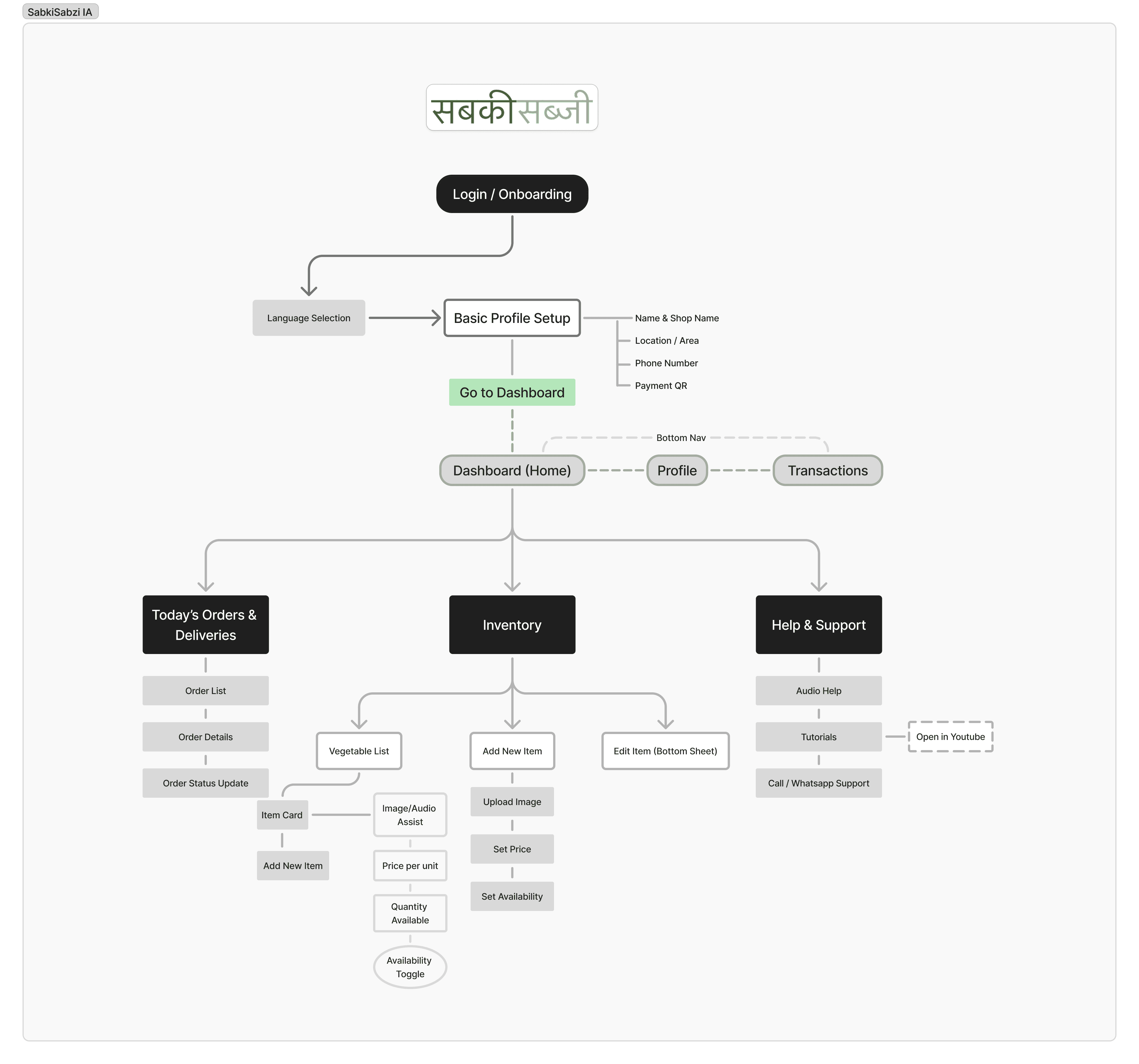
Our next step was to draw out the information architecture of the web application which helped us fine tune our user's actions and prioritize their needs
wireframes
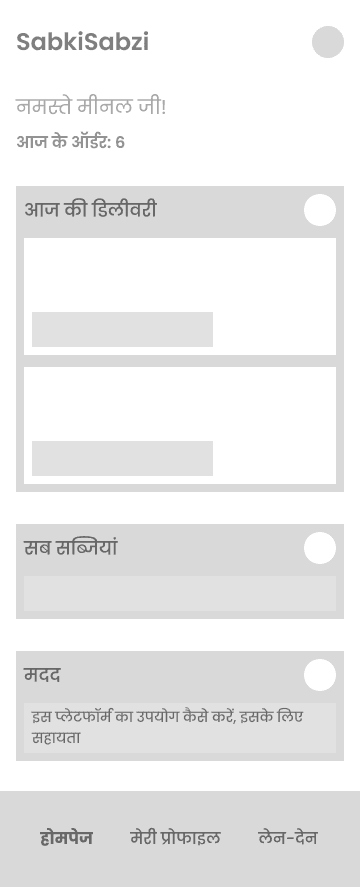
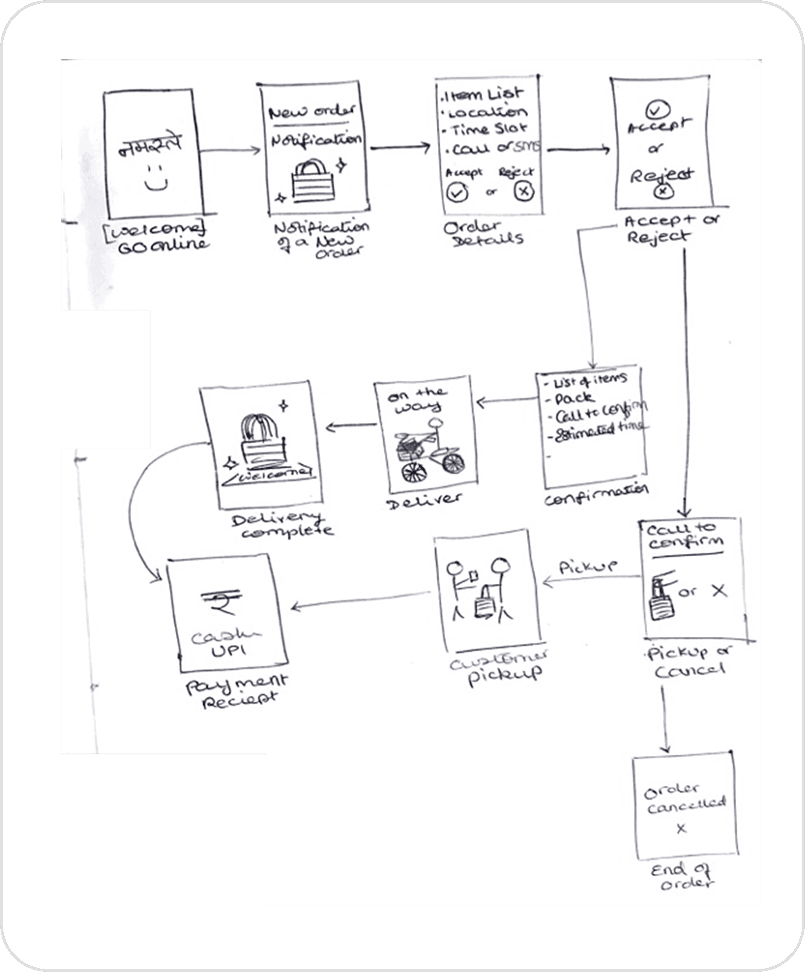
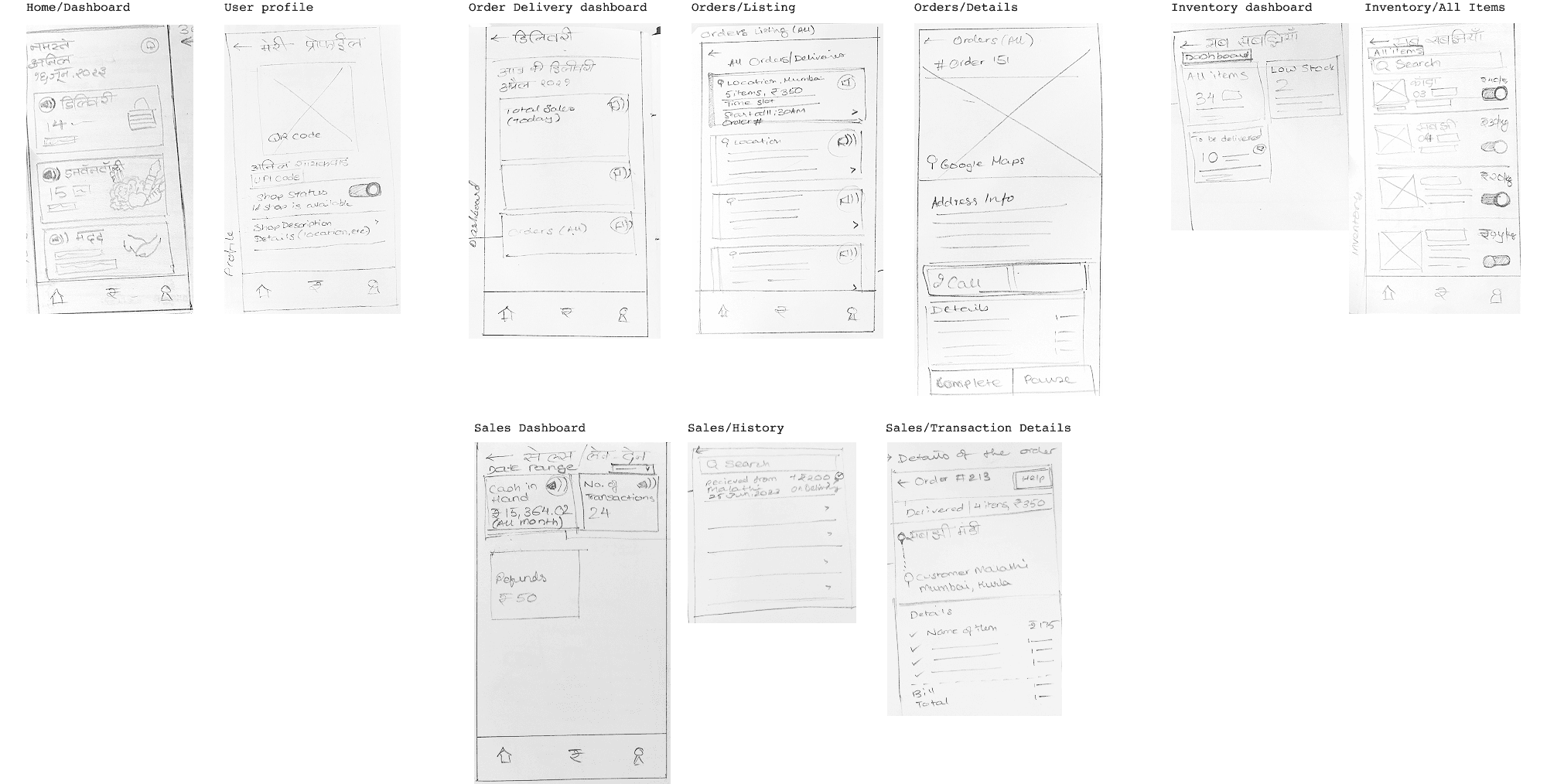
We put together some sketches to draw out the wireframes to map out our users' interface and experience. This helped to visualize the simplicity that was required to make the web app convenient and approachable to a novice smartphone user.
Initial ideation on paper
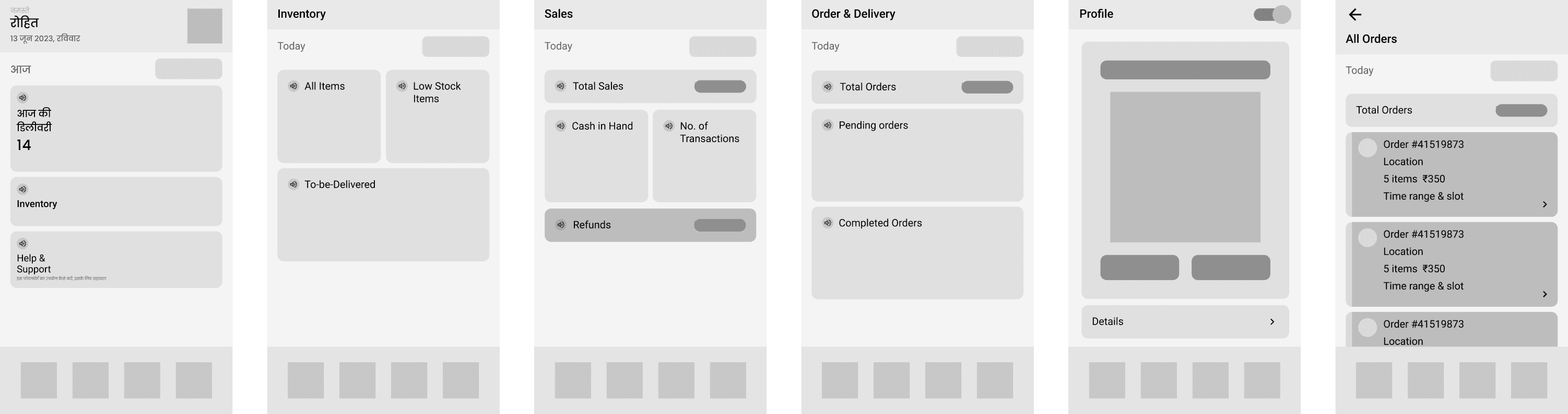
Lo-fi digital wireframes (parts of it written in English for our reference)
UI Design
Poppins
Regular
Medium
Bold
सबकी सब्जी
सबकी सब्जी
सबकी सब्जी
Primary
#477A30
Greys
Accent
#1E1E1E
#F0F0F0
#C7DB86
Home
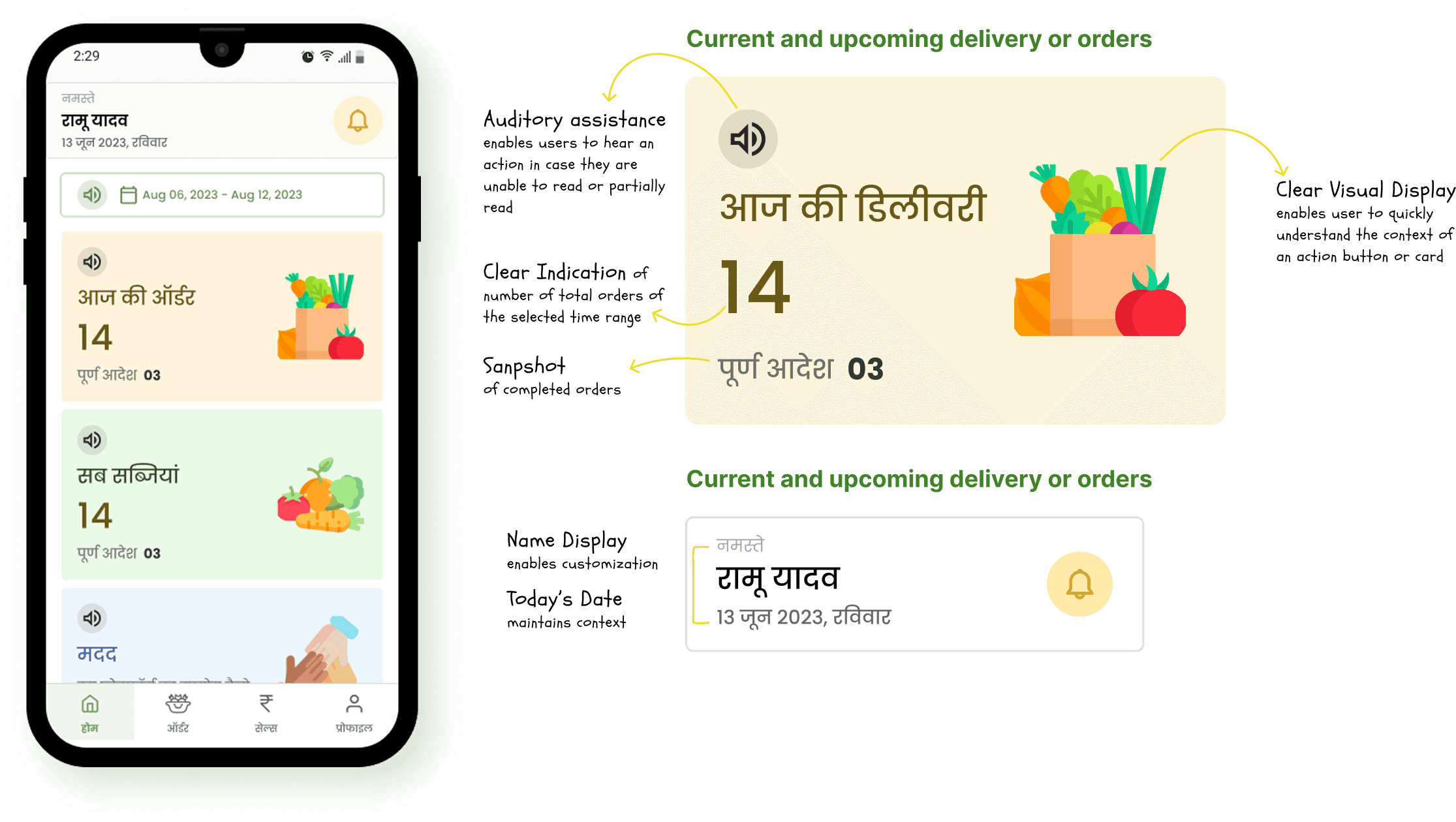
We put together some sketches to draw out the wireframes to map out our users' interface and experience. This helped to visualize the simplicity that was required to make the web app convenient and approachable to a novice smartphone user.
Inventory
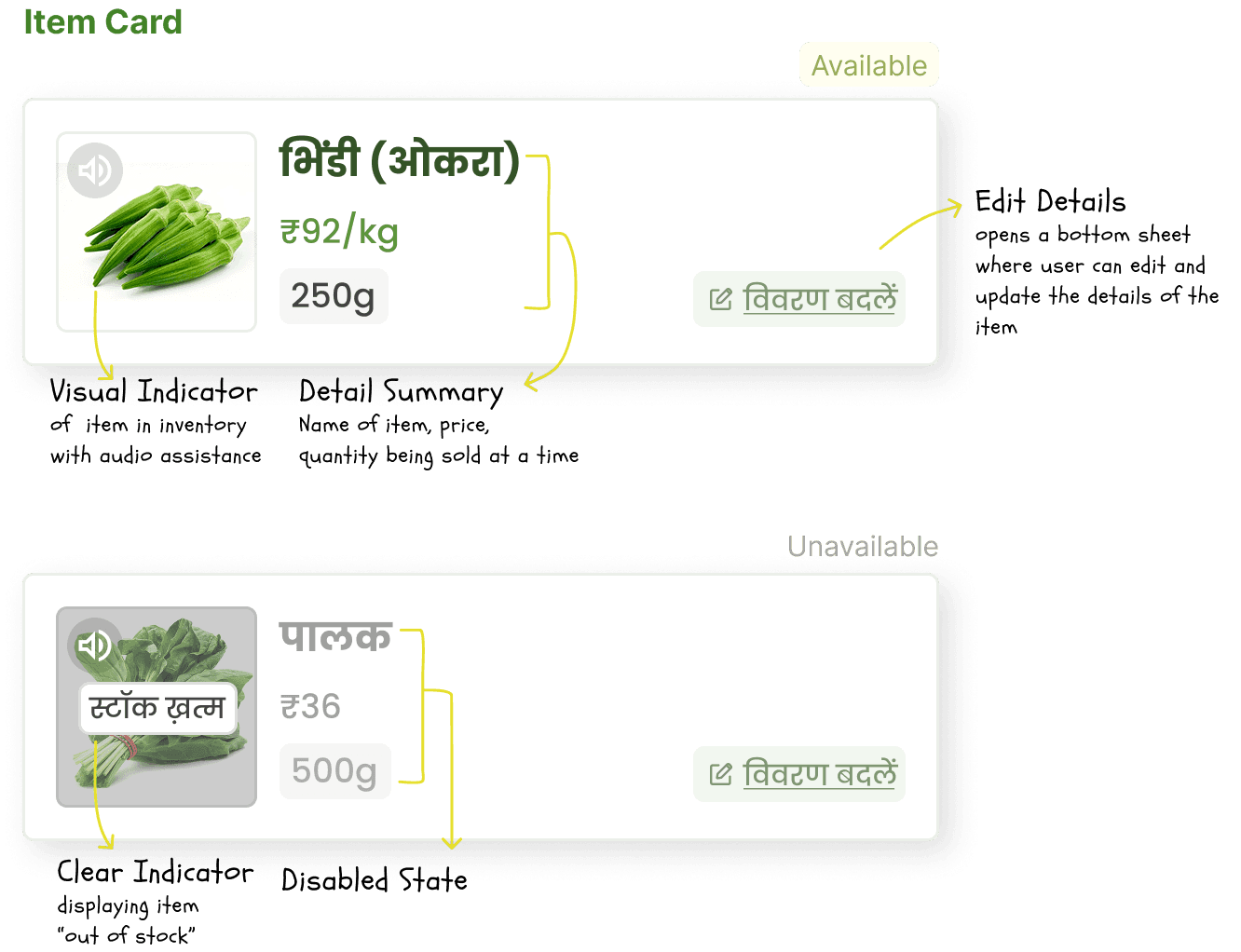
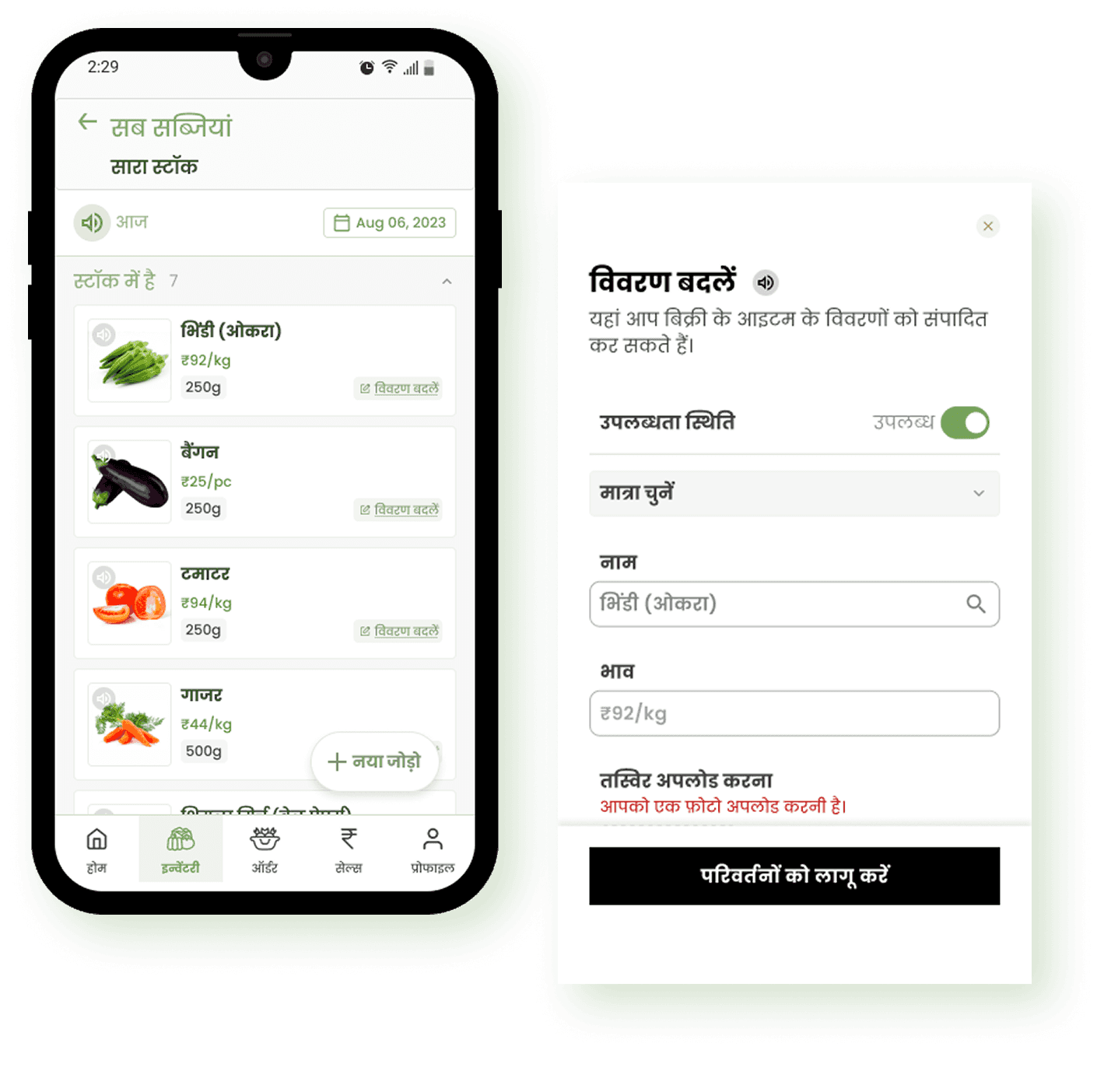
The inventory section allows vegetable sellers to manage their product listings efficiently. Sellers can easily add, edit, and toggle the availability of items. Each item card includes details like name, price, availability, and an image.
Orders
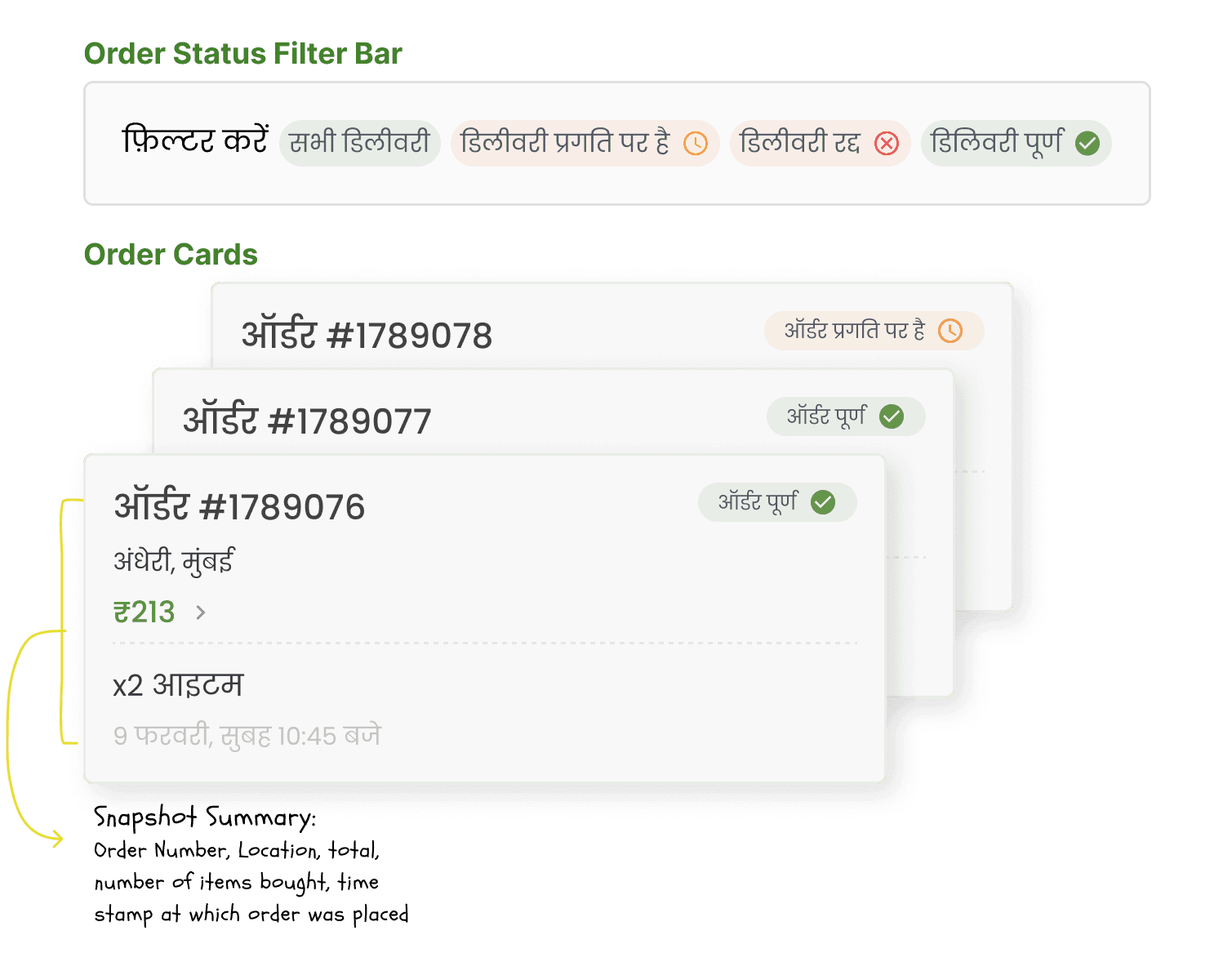
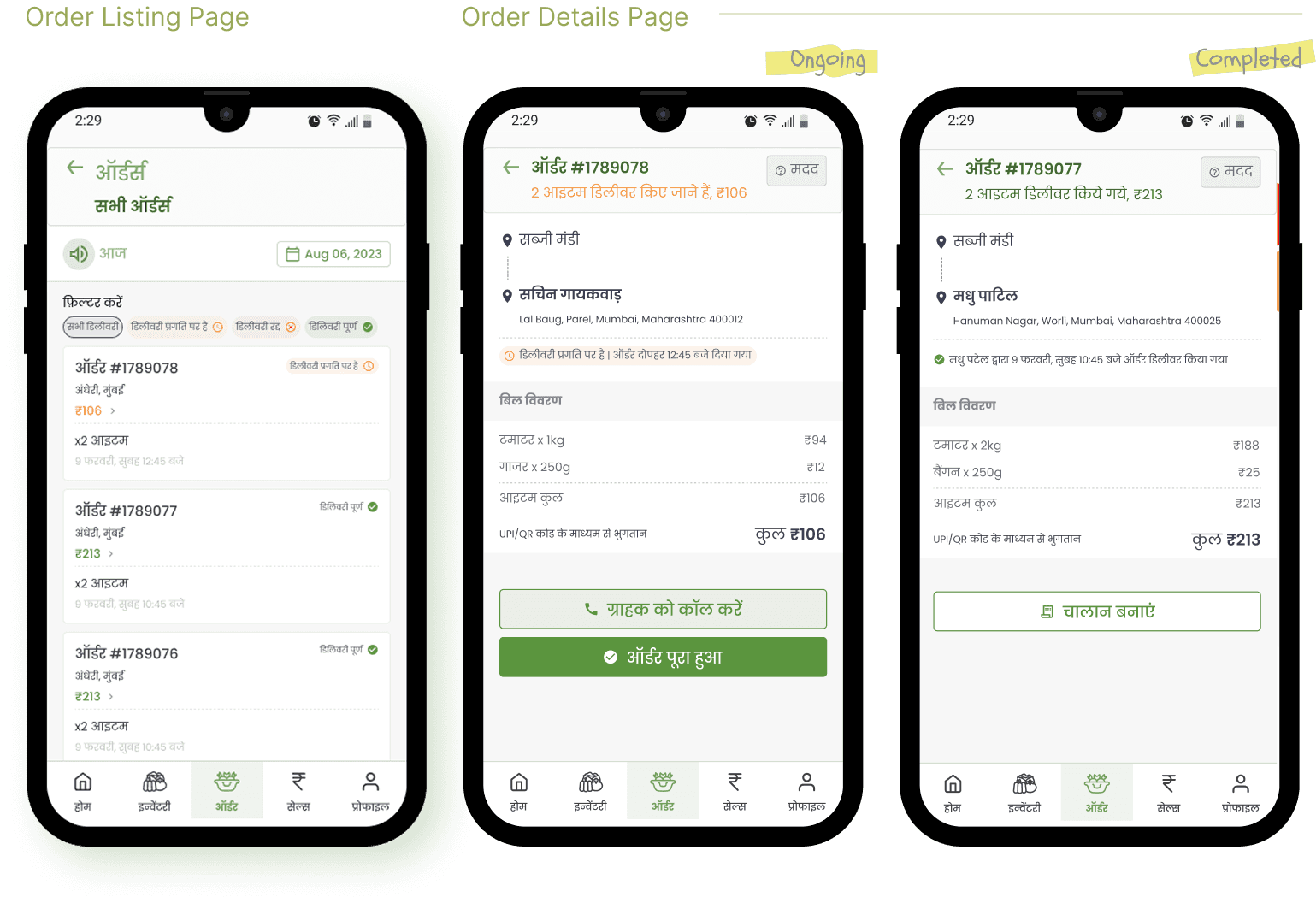
The Orders section allows sellers to manage incoming orders, track order details, process orders for delivery, communicate with customers regarding order status, schedule deliveries, view order history, and use filtering for enhanced organisation and convenience.
Sales
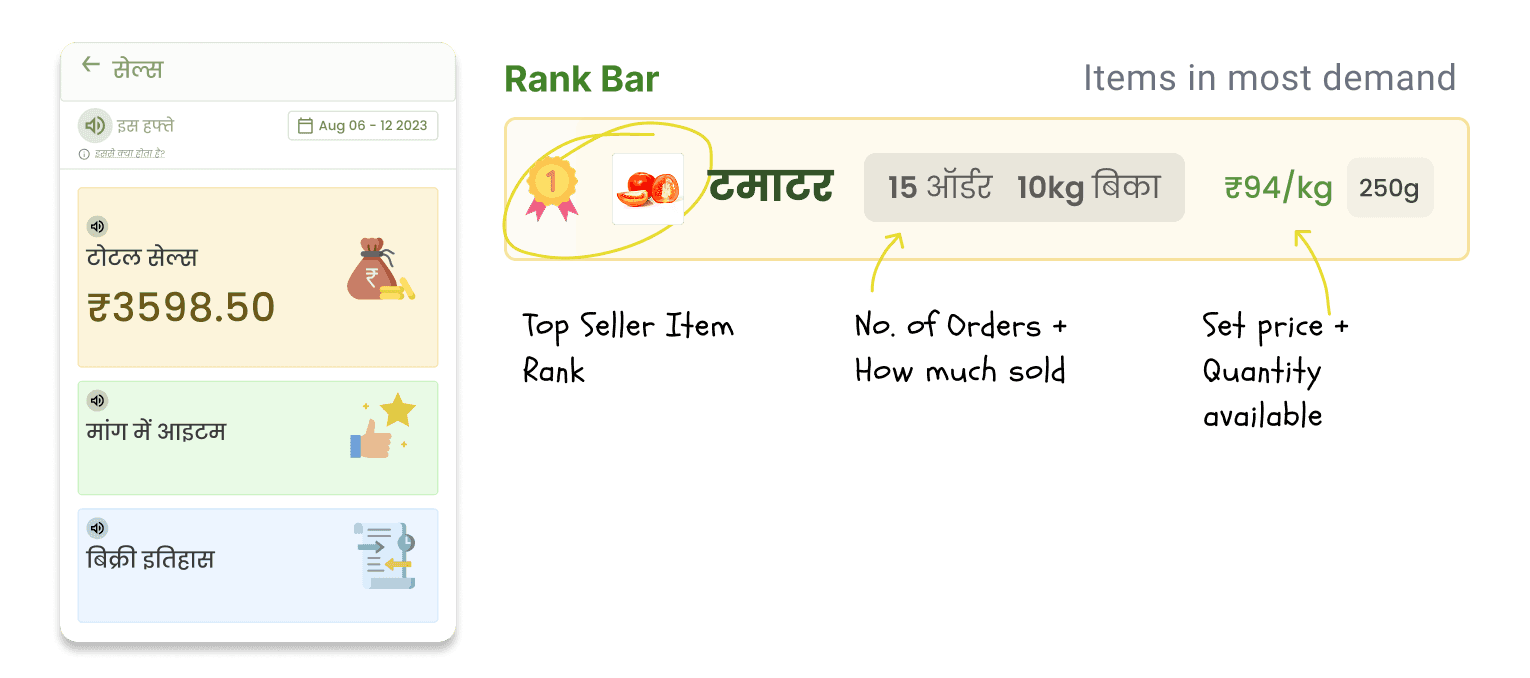
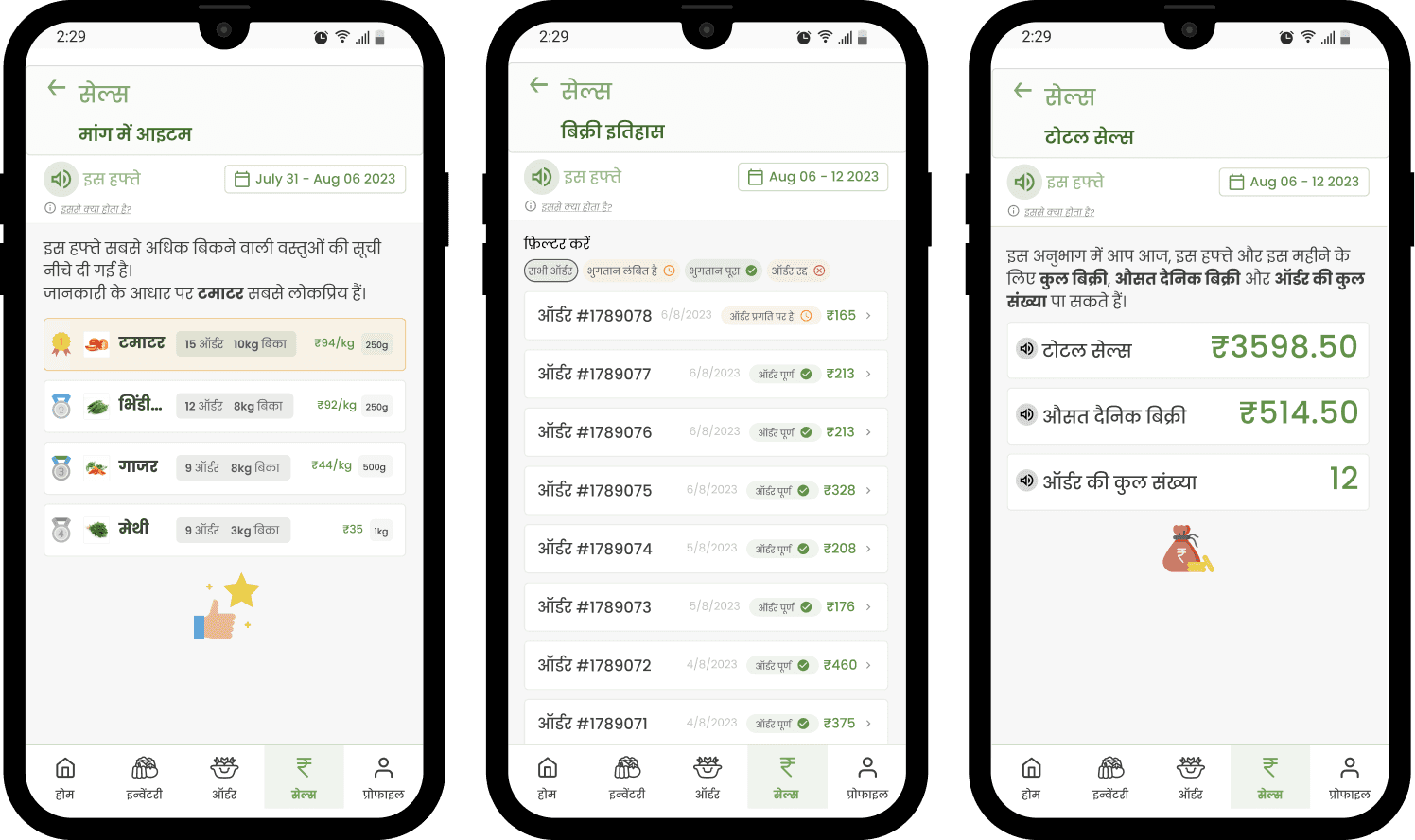
The Sales section provides a snapshot of the user’s business's performance. They can track sales, monitor top-selling items, manage pricing and discounts, review sales history, and filter sales data.
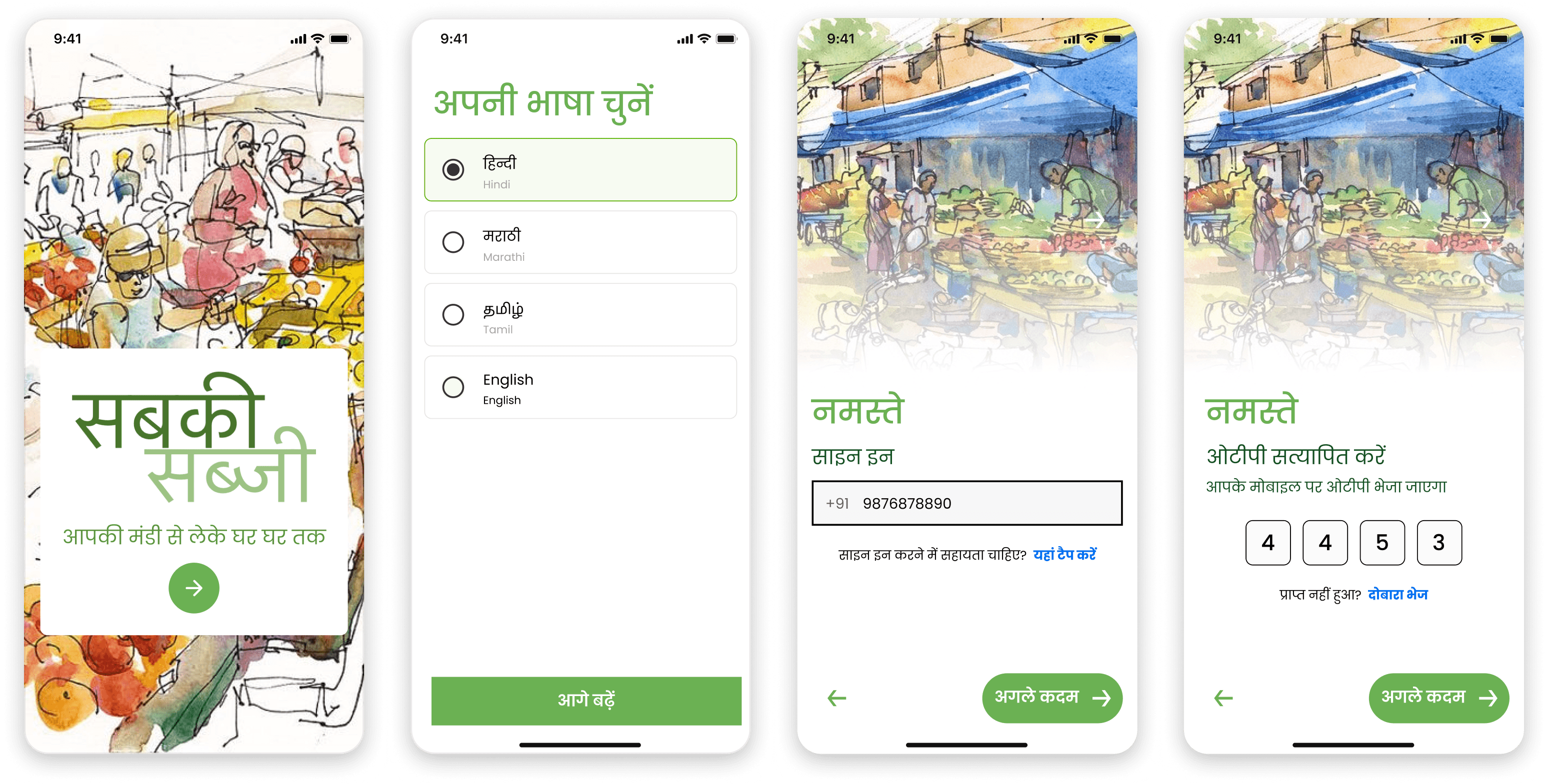
Onboarding
This onboarding process aims to familiarize users with the app's functionality while ensuring accessibility and ease of use, particularly for novice smartphone users.
impact & learnings
Enabled a seller-first digital workflow that fits naturally into the daily routines of local vegetable vendors using entry-level smartphones
Demonstrated how technology can support hyperlocal commerce without removing ownership, trust, or community from the transaction
Adoption depends less on “digital literacy” and more on following existing mental models, routines, and systems. Why fix something that is not broken?
Constraint-led design (low-end devices, limited time, low attention) leads to clearer, more intentional UX decisions